4D Printing Simulator
Self-organization is a process through which a 3D printed object transforms itself into another object/structure under the influence of an external stimuli such as vibration, temperature, or light. This process provides the ability for material designs to change form and function after they are built, providing additional capabilities and performance driven applications. 4D-printing technology uses smart/intelligent materials and manufacturing designs to forecast change processes and can be applied to various fields from aerospace, medical devices, construction, soft robotics, textile industries, batteries, and bio-printing.
4D Printing Examples
The following examples demonstrate how vibration-induced self-organization can be applied in 4D printing:
Sphere Formation
Quarter sphere agents self-organize into a complete sphere through vibration stimuli
UGA Shape Formation
Rectangle and semi-circle agents form the UGA shape through calibrated vibration
Complex Structure
Multiple agent types creating intricate formations through vibration parameters
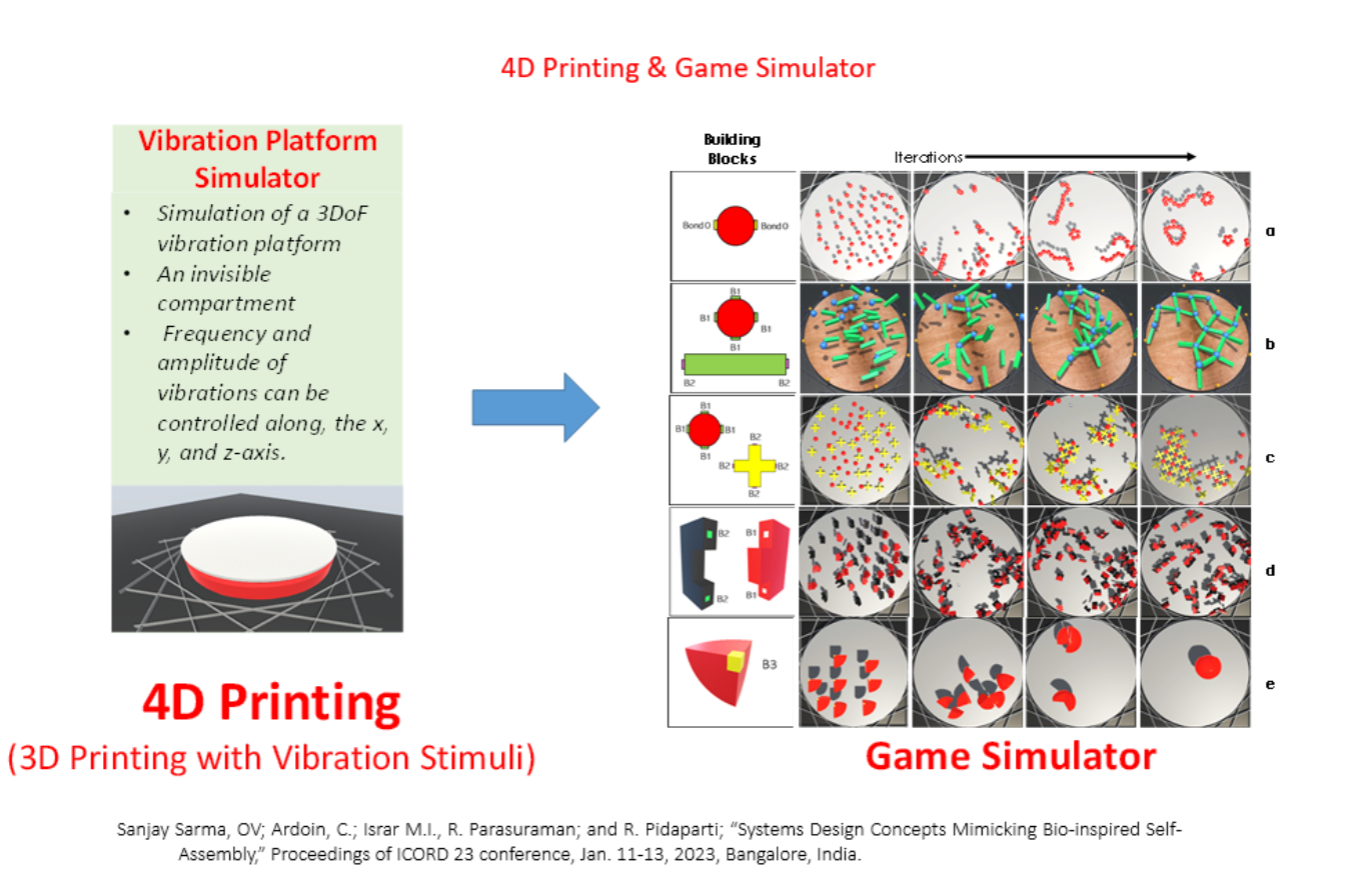
How to Use the 4D Printing Simulator
- Set your desired parameter values (spring constant, bond break force, etc.)
- Configure the amplitude and frequency for each axis (X, Y, Z)
- Select the shapes you want to include in the simulation
- Click "Start Simulation" to observe the resulting behavior
- Analyze how different parameters affect the patterns that emerge
- Try modifying one parameter at a time to understand its specific impact
Simulator Parameters
The simulator allows you to adjust multiple parameters that influence how particles behave under vibration:
Core Parameters
- Spring Constant: Controls the stiffness of connections between particles
- Bond Break Force: Threshold at which connections between particles break
- Amplitude: Maximum displacement of vibration in X, Y, and Z axes
- Frequency: Rate of oscillation in X, Y, and Z axes
Shape Configuration
Choose different geometric shapes for your simulation:
- Spheres: Create symmetrical patterns
- Rectangles: Show asymmetric force distribution
- Quarter Spheres: Demonstrate partial geometry behaviors
Coming Soon: Airfoils, Half Spheres, and Pyramids
Ready to Run a Simulation?
Configure your simulation parameters and run the vibration platform simulator.